HELP CENTER • CLAIM LISTINGS

How to claim a business on Kalostous

Learn how to claim an existing business listing and manage it from your Kalostous dashboard.

STEP 1

Find the business listing

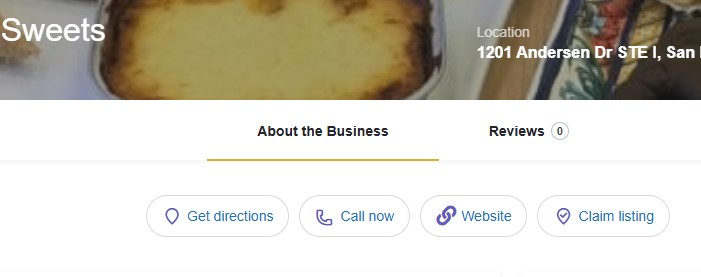
Search for the business listing you want to claim on Kalostous.
Claim a business listing on Kalostous
Find the business listing on Kalostous
STEP 2

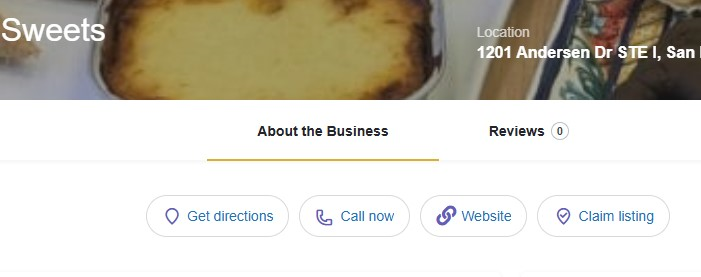
Click the “Claim listing” button

If the business listing is not yet managed by the owner, you can request ownership through the Claim Listing button.
Claim a business listing on Kalostous
Claim an existing business listing
STEP 3

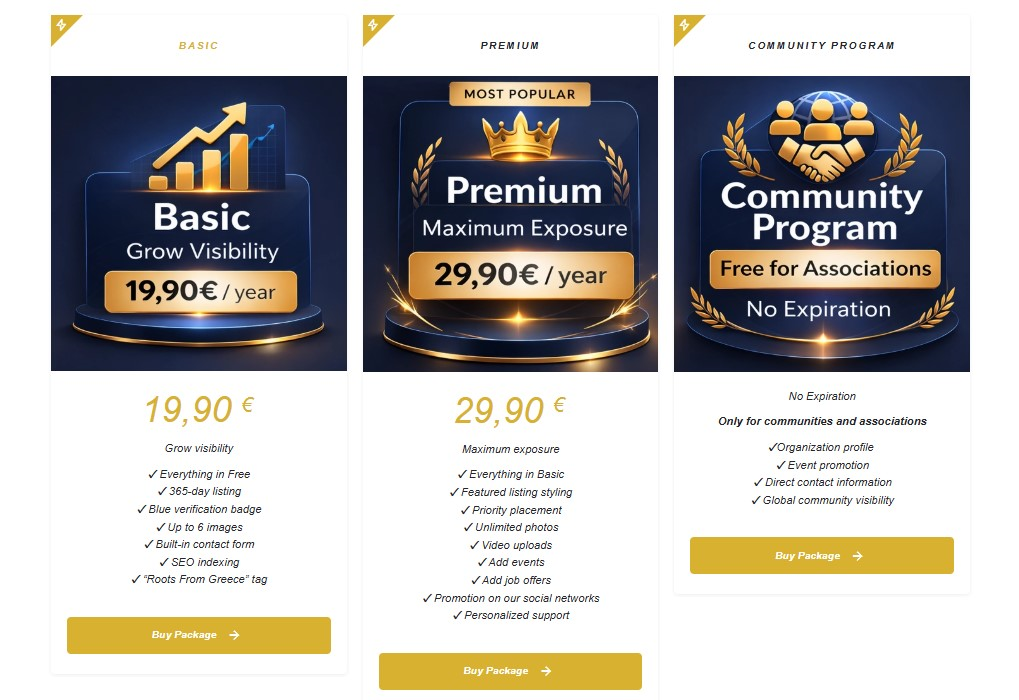
Choose your claim package

Select the claim package required to manage and verify the business listing on Kalostous.
Kalostous claim package selection
Select your claim package
STEP 4

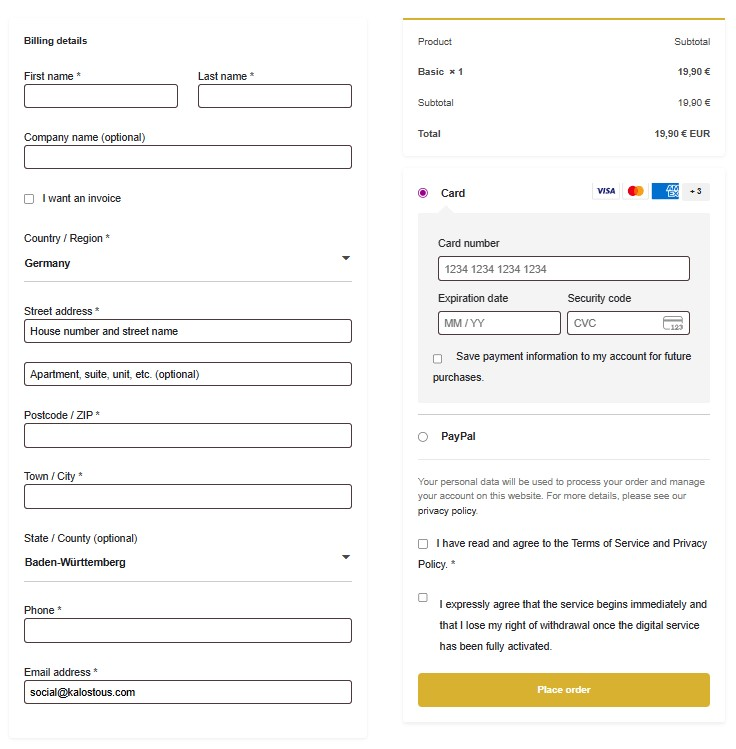
Activate your claim package

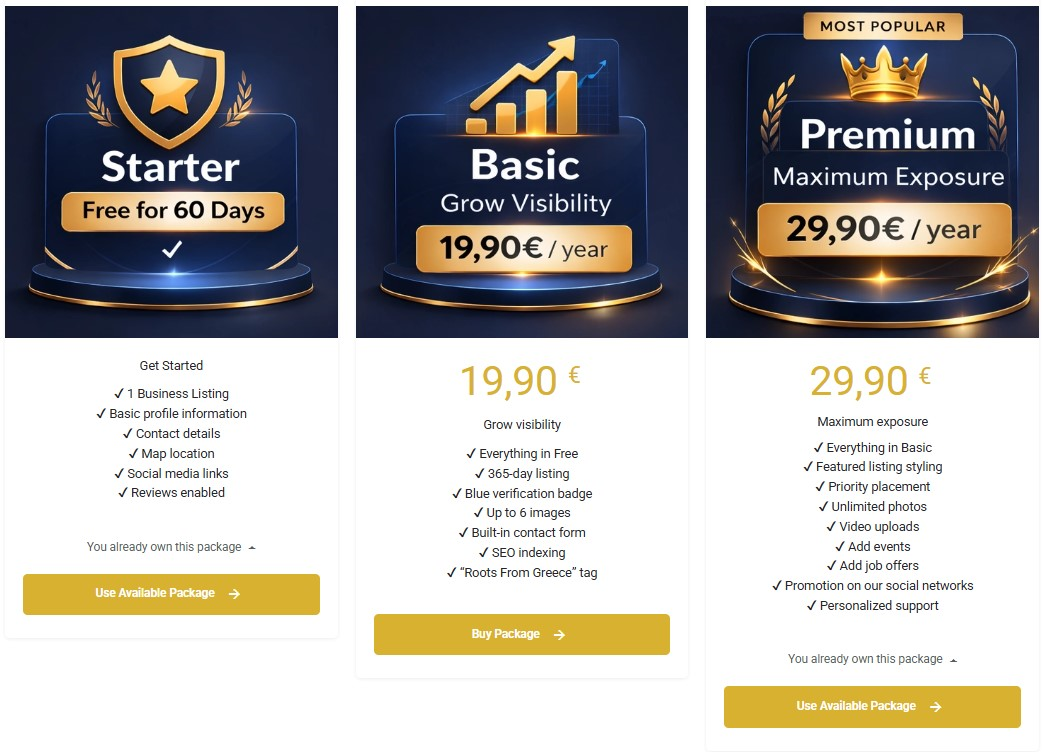
If you already own a claim package, you can continue immediately. Otherwise, complete the checkout process to activate your package.
Use active claim package on Kalostous
Use your active claim package
Kalostous claim package checkout
Complete your claim package checkout
STEP 5

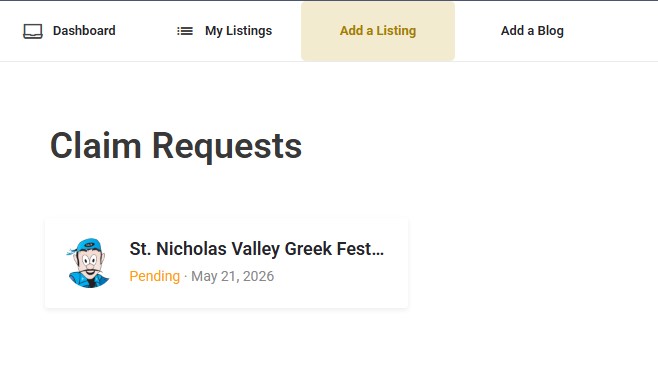
Wait for admin verification

After submitting your claim request, the Kalostous admin team will review and verify the business ownership information.
Pending business claim request on Kalostous
Your claim request is pending admin review
STEP 6

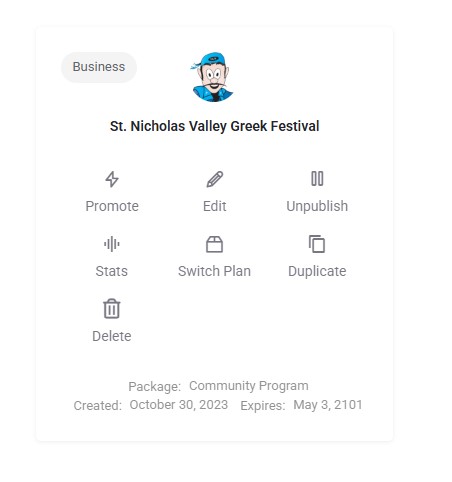
Manage your claimed listing

After your claim is approved, the business listing will be connected to your Kalostous account dashboard.
Manage claimed business listing on Kalostous
Manage your claimed business listing

Ready to claim your business on Kalostous?

Connect your business listing to your account and manage it directly from your Kalostous dashboard.